Freelance Graphic Design: What Software You Really Need
Discover the essential graphic design software for freelancers. Learn about Adobe Creative Cloud, Figma, Canva, and more tools to build.
The world of freelance graphic design has transformed dramatically over the past decade. Today’s creative professionals face more software options than ever before, yet choosing the right tools remains a challenge that can define the trajectory of an entire design career. Whether you’re just starting your journey as a freelance graphic designer or you’re already established in the industry, which graphic design software will genuinely propel your business forward is crucial. The market is saturated with applications promising revolutionary features and unmatched capabilities, but not all tools are created equal—and certainly not all are essential to your success.
This comprehensive guide cuts through the noise to reveal the design software that professional freelancers actually rely on daily. Rather than overwhelming you with every available option, we’ll focus on proven, industry-standard solutions that deliver real results. From vector illustration and photo editing to project management and client collaboration, the right combination of tools can dramatically improve your productivity, enhance the quality of your deliverables, and ultimately increase your earning potential. We’ll explore the tools that separate successful freelance designers from those struggling to keep up, examining both premium and budget-friendly options that cater to different skill levels and specializations.
What Makes Essential Graphic Design Software
Before diving into specific recommendations, it’s important to understand what constitutes essential graphic design tools for freelancers. The right software should accomplish three fundamental objectives: provide advanced creative capabilities, integrate seamlessly with your workflow, and offer professional features that clients expect. Graphic design software serves as your primary instrument for transforming creative visions into tangible digital assets.
Essential design software typically falls into several key categories: vector graphics editors for creating logos and illustrations, raster editors for photo manipulation and digital painting, layout tools for print and digital publications, and UI/UX design platforms for web and app interfaces. Many freelance graphic designers invest in comprehensive suites rather than purchasing individual applications, as this approach streamlines the process of moving designs between different formats. The integration between tools within a suite significantly reduces the time spent on exporting and re-importing files, allowing you to focus on creative excellence rather than technical logistics.
Adobe Creative Cloud: The Industry Standard for Professional Freelancers
When discussing professional graphic design software, the conversation inevitably centers on Adobe Creative Cloud. This comprehensive suite represents the gold standard that most agencies, printing companies, and corporate clients expect their freelance contractors to use. Adobe Creative Cloud encompasses virtually every tool a freelancer might need: Photoshop for digital imaging, Illustrator for vector graphics, InDesign for layout and publication design, and After Effects for motion graphics.
The power of Adobe Illustrator cannot be overstated for freelancers specializing in logo design, branding, or icon creation. As a professional vector graphics editor, Illustrator excels at producing scalable artwork that maintains pristine quality at any size—essential for logos that appear on everything from business cards to billboards. Adobe Photoshop, the industry’s dominant raster editor, handles everything from photo retouching to complex image composition, allowing freelancers to offer comprehensive visual solutions. Adobe InDesign revolutionized layout capabilities, making it the preferred tool for creating brochures, magazines, packaging, and any multi-page publication.
The synergy within Adobe’s ecosystem is arguably its greatest advantage. Projects can seamlessly move between applications, with assets remaining fully editable and linked. This cross-platform compatibility means you’re not locked into a single workflow—instead, you can leverage the strengths of each application to solve unique creative challenges. While the subscription cost ($54.99 per month for the complete Creative Cloud or individual apps) represents a significant investment, professionals consistently report that the efficiency gains and client expectations make this cost entirely justified.
Figma: The Game-Changer for UI, UX, and Collaborative Design
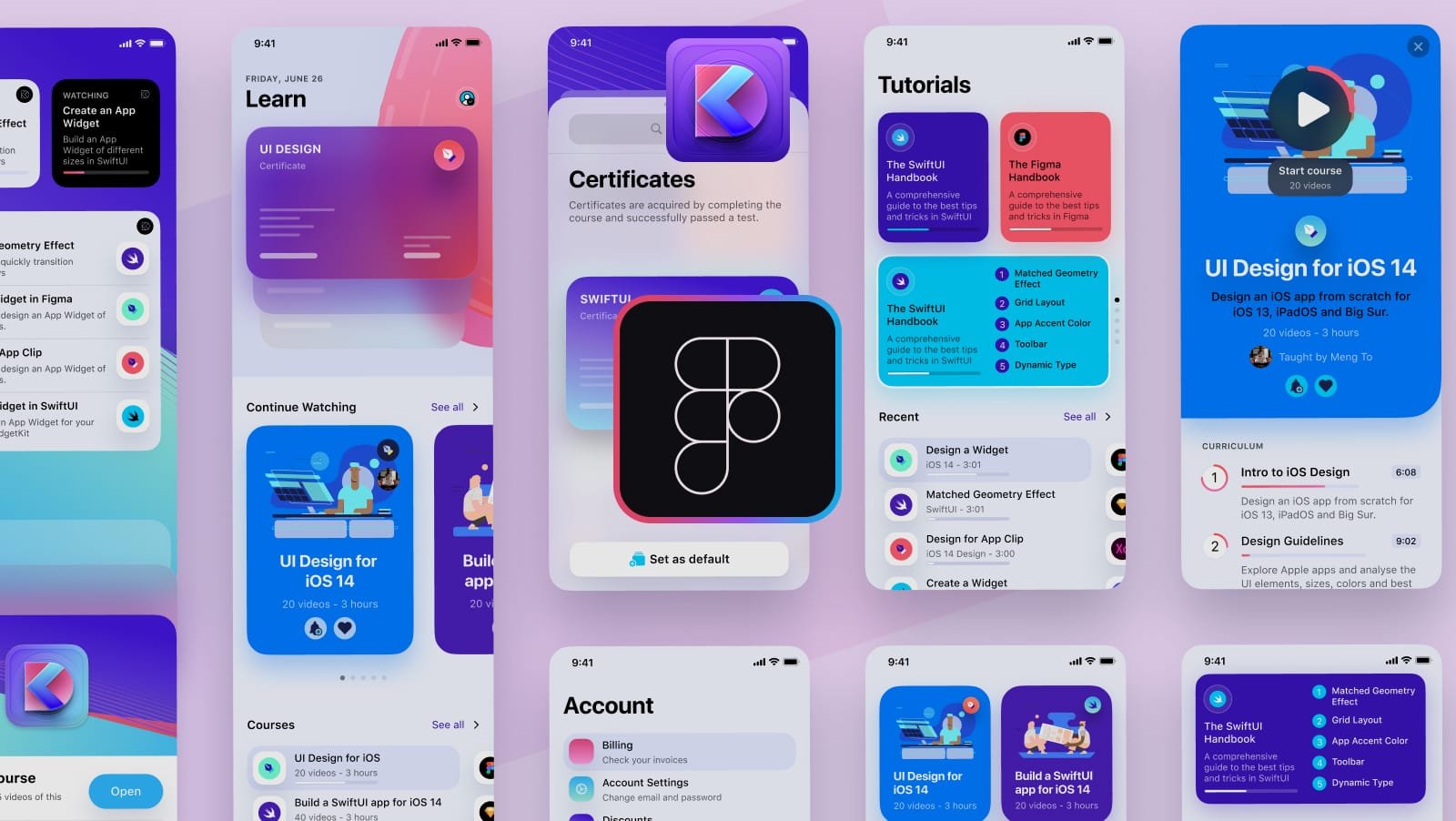
In recent years, Figma has emerged as a transformative force in graphic design for digital-first projects. This cloud-based design platform specializes in UI design and user experience, making it indispensable for freelancers creating digital interfaces, websites, and mobile applications. Unlike traditional desktop applications, Figma operates entirely in the browser, eliminating installation hassles and ensuring all team members work with identical software configurations.
What distinguishes Figma from competitors is its powerful collaborative capabilities. Multiple team members can simultaneously edit the same project in real-time, with changes instantly visible to all participants. This feature revolutionizes client feedback loops—rather than exchanging files and version numbers, clients can directly leave comments and suggestions on designs within the application. For freelancers juggling multiple projects and clients, this streamlines communication and reduces iteration time substantially.
Figma’s design system features allow you to create reusable components, maintaining consistency across entire design systems while dramatically reducing the time required to produce variations. The platform includes prototyping capabilities that let you demonstrate interactive flows and animations without coding, a critical asset when presenting design concepts to technically non-savvy clients. For UI/UX designers working as freelancers, Figma has become nearly essential, though it works best as a complement to Adobe tools rather than a complete replacement.
Canva Pro: The Practical Choice for Speed and Accessibility
Canva represents a fundamentally different philosophy in graphic design software—one that prioritizes accessibility and speed over advanced control. This platform democratized design by making professional-quality layouts available to non-designers, but Canva Pro offers substantial value for freelancers, particularly those handling high-volume projects like social media posts, marketing materials, and simple graphics.
Canva Pro provides an enormous library of professionally designed templates covering virtually any design need, from Instagram stories to corporate presentations. For freelancers with clients who have modest budgets or quick turnaround requirements, these templates serve as starting points that can be customized in minutes rather than hours. The platform’s brand kit feature is particularly valuable—you can store client logos, color palettes, and fonts in one organized location, ensuring consistency across multiple projects without manual effort.
The collaboration tools within Canva enable non-designer clients to participate in the creative process safely. Rather than sending native files that might be accidentally corrupted, you can share a Canva project where clients can view designs and leave feedback without the ability to damage your original files. The built-in content scheduler allows you to plan social media campaigns directly within the platform, further streamlining your workflow. While Canva lacks the advanced capabilities of professional design software, its efficiency for certain project types and ability to white-label designs under your own brand name make it genuinely valuable for freelance practices.
Vector Graphics and Specialized Design Tools
Beyond the major platforms, several specialized tools address specific design needs that freelancers regularly encounter. CorelDRAW serves as a legitimate alternative to Illustrator for vector illustration, particularly popular among designers working in print and technical graphics. The software costs significantly less than Adobe’s options through one-time purchases rather than subscriptions, appealing to budget-conscious freelancers building their toolkit.
Sketch has carved out a niche among macOS-focused designers, offering focused UI/UX design capabilities at a lower price point than Adobe’s complete suite. However, its limitation to Apple’s ecosystem makes it less versatile for freelancers working across operating systems or collaborating with Windows-based team members. Affinity Designer and Affinity Photo represent another alternative path, offering powerful design capabilities through one-time purchases rather than ongoing subscriptions—appealing to freelancers who prefer owning their tools outright.
For motion graphics and animation work, Adobe After Effects remains unmatched in professional capability. Freelancers specializing in video content, animated explainers, or motion design will find that this tool commands a premium for good reason—its capabilities are essentially unreplicated elsewhere. Your specific design specialization helps determine which tools truly become essential to your practice versus nice-to-have options.
Project Management and Organization Tools
Professional graphic design extends beyond the creative tools themselves—successful freelancers recognize that organization and client management directly impact both productivity and profitability. Asset management tools like Eagle have become nearly essential for freelancers maintaining visual libraries. This specialized application lets you collect, tag, and organize every visual element: reference images, client logos, font files, and design components.
Eagle’s visual browser interface makes locating specific assets dramatically faster than traditional folder systems. You can tag images by color, project, client, or any custom categorization scheme, then filter results instantly. The ability to save web images directly into Eagle via browser extension builds reference libraries without interrupting your workflow. For freelancers managing dozens of client projects with hundreds of reusable design components, this organization saves countless hours searching through folders.
Behance, Adobe’s portfolio platform, serves as both a professional gallery and a marketing tool for freelancers. With millions of monthly visitors, maintaining an updated Behance portfolio provides visibility that attracts potential clients. The platform integrates directly with Adobe Creative Cloud, simplifying the process of showcasing work. You can present complete case studies, discuss your creative process, and demonstrate the range of projects you’ve completed—functioning as both your online resume and your visual sales pitch.
Business and Communication Tools for Freelancers
Beyond pure design tools, freelancers operating successful practices require complementary software for client management and communication. Upwork and Fiverr serve as marketplaces where freelancers connect with clients, though they function differently—Fiverr emphasizes quick, straightforward service packages, while Upwork facilitates more complex project bidding and management.
Project management applications like Asana, Monday.com, or Notion help organize timelines, deliverables, and revisions. These systems provide transparency to clients about project progress while helping you manage multiple concurrent projects without missing deadlines. Time tracking software becomes essential when billing hourly or when you need to understand where time actually goes on different projects—this data directly informs your pricing strategies and project estimates.
Communication tools have evolved far beyond email. Slack, Discord, or direct messaging platforms enable quick clarification with clients, replacing back-and-forth email chains that interrupt focus. Storing client communication in organized channels creates a searchable history, making it easy to reference previous decisions or feedback when revisions are requested.
The Financial Reality: Budgeting for Your Software Stack
The true cost of your graphic design software stack is crucial for freelance profitability. Adobe Creative Cloud represents the largest ongoing expense at $54.99 monthly for the complete suite, or approximately $660 annually. Figma’s professional plan costs $12 per month ($144 annually), providing excellent value for UI/UX focused work. Canva Pro runs $120 annually, while specialized tools like Eagle typically charge $30-40 annually after purchase.
Investing in the right tools upfront prevents costlier problems later—using inadequate software to deliver substandard work damages your reputation and reduces your ability to charge premium rates. The premium pricing of Adobe tools exists because they remain genuinely irreplaceable for professional work. However, this doesn’t mean you must purchase everything immediately. A sensible approach involves starting with Adobe Illustrator and Photoshop (or exploring free alternatives like Gimp while building your skills), then expanding your toolkit as your skill level and income increase.
Many freelancers successfully manage their costs by subscribing to Adobe tools only while actively working on client projects, then canceling temporarily during slower periods. Others invest in one-time purchase alternatives like Affinity Designer when budget constraints make subscriptions impossible. The key is that professional-grade tools represent necessary business expenses that directly correlate with your ability to deliver quality work and command higher rates.
Free and Budget-Friendly Graphic Design Alternatives
Not every freelancer begins with the budget for premium software, and excellent free options exist for those building their skills or serving budget-conscious clients. GIMP (GNU Image Manipulation Program) provides impressive raster editing capabilities at zero cost, though its user interface remains less polished than Photoshop. For freelancers learning graphic design fundamentals or starting their practice, GIMP serves as an excellent educational tool.
Inkscape offers free vector editing capabilities similar to Illustrator, again with a steeper learning curve than commercial alternatives but genuine power once mastered. For design beginners or freelancers working with price-sensitive clients, these free tools prevent financial barriers from stopping you from entering the field. However, professional expectations and client quality standards generally necessitate upgrading to commercial tools relatively quickly.
Pixlr and Photopea provide browser-based image editing, approximating Photoshop functionality without download requirements. Their affordability makes them reasonable for quick edits or client work with modest complexity. The explosion of free design tools reflects how the profession has democratized, yet the gap between free tools and professional-grade software remains substantial for complex creative work.
Future-Proofing Your Skill Set in a Changing Industry
The graphic design software landscape continues evolving, with artificial intelligence increasingly influencing creative tools. Adobe has integrated AI-powered features like content-aware fill and generative expansion into recent versions, improving efficiency while raising important questions about how AI should be used ethically in design work. Freelancers investing in skill development should understand not just current tools, but how emerging technologies will reshape the profession.
Following industry trends means occasionally evaluating new tools without abandoning reliable workflows. The professionals who thrive adapt thoughtfully to innovation rather than chasing every new application. This might mean experimenting with AI tools to understand their capabilities, exploring new features in familiar applications, or learning complementary skills like basic coding that enhance your design work.
Investing in ongoing education—whether through tutorials, courses, or community involvement—ensures your graphic design skills remain relevant as tools and industry expectations evolve. The specific software matters less than your ability to learn new applications quickly and adapt your creative approach to emerging demands.
More Read: Freelance Web Design Rates: What to Charge Per Project
Conclusion
Building a sustainable freelance graphic design practice requires selecting graphic design software that balances professional capability with your budget and specialization. Adobe Creative Cloud remains the industry standard for comprehensive professional work, justifying its subscription cost through integration, capability, and client expectations. Figma has become essential for UI/UX designers, while Canva Pro provides efficiency for high-volume projects. Complementary tools like Eagle, Behance, and project management applications create a complete ecosystem supporting both creative excellence and business operations.
The right software combination doesn’t require purchasing every available option—instead, it means thoughtfully selecting tools aligned with your specific work, skill level, and financial capacity. Start with industry-standard applications, expand strategically as your practice grows, and remain committed to learning and adaptation as technology evolves. Your design tools are investments in your professional success, and choosing them wisely directly determines your ability to deliver exceptional work while building a thriving freelance graphic design career.